
Application Blocked
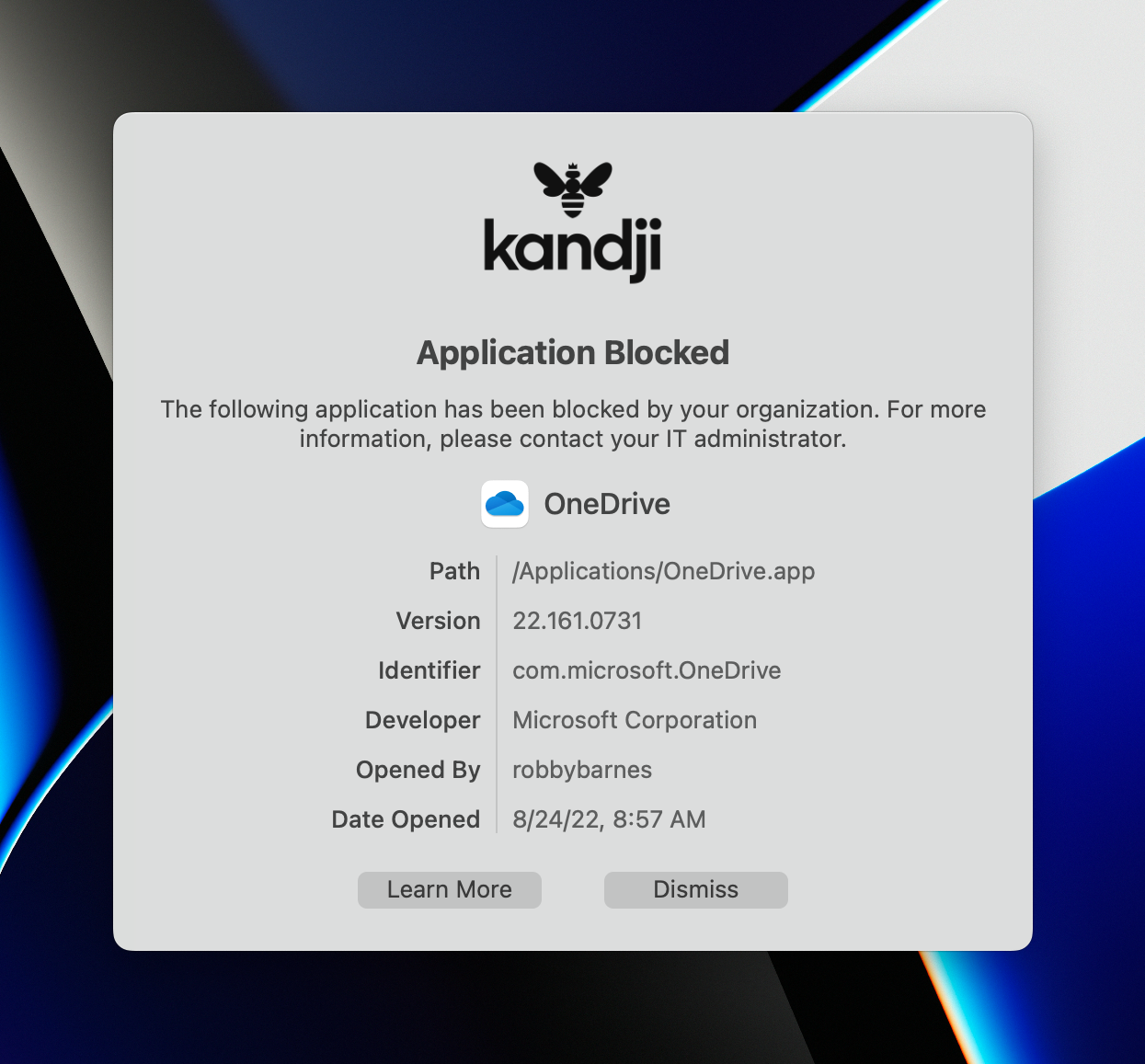
This guide explains what the "Application Blocked" message means and how to request access to a blocked application.
What This Means
The "Application Blocked" message indicates that an application you're trying to open has been restricted by your organization's IT policy.
Why Applications Are Blocked
Applications may be blocked for the following reasons:
- Security risk – The application poses a security threat to the organization
- Policy compliance – Company leadership has requested the application be blocked
- Licensing concerns – The application may not be licensed for business use
- Productivity policy – The application falls outside acceptable use guidelines
Requesting Access
If you need access to a blocked application for legitimate business purposes:
- Contact your manager or IT contact to explain the business need
- Your organization's leadership must submit a written request to 2Fifteen Tech
- Once approved, we will update the policy to allow the application
Note – 2Fifteen Tech cannot unblock an application without written approval from the leadership team that originally requested the block.
Finding Alternatives
If an application is blocked due to security concerns, consider:
- Asking 2Fifteen Tech if there's an approved alternative
- Using the web-based version if available and permitted
- Requesting a security review of the application
Note – Some applications are blocked organization-wide due to known security vulnerabilities. These may not be unblocked regardless of business justification.